
Duplicating rows in subforms
ActiveScaffoldDuplicate 2.0 can add a Dup link next to the remove link on rows in a collection subform. This is useful when several associated records share most of their values: duplicate the closest row, change the fields that differ, and save the parent form as usual.
This feature requires ActiveScaffold 4.2 or newer.
Install the plugin
Add the plugin to your Gemfile:
gem 'active_scaffold_duplicate', '~> 2.0'Then install it:
bundle installEnable duplication for a subform
Suppose an order has many lines and :lines is displayed as a subform. Enable duplication in the association column’s form UI options:
class OrdersController < ApplicationController
  active_scaffold :order do |config|
    config.columns[:lines].form_ui = nil, { duplicate: true }
  end
end
Keeping the form UI itself as nil tells ActiveScaffold to continue using its default subform while passing duplicate: true as an option to that UI.
Alternatively, when the column has no separate form UI options, set the column option:
config.columns[:lines].options[:duplicate] = trueIf the column already has form UI options, add duplicate: true to those options. Form UI options take precedence over the general column options.
Reload an order’s create or update form. Each editable line now has a Dup link alongside its other row actions.
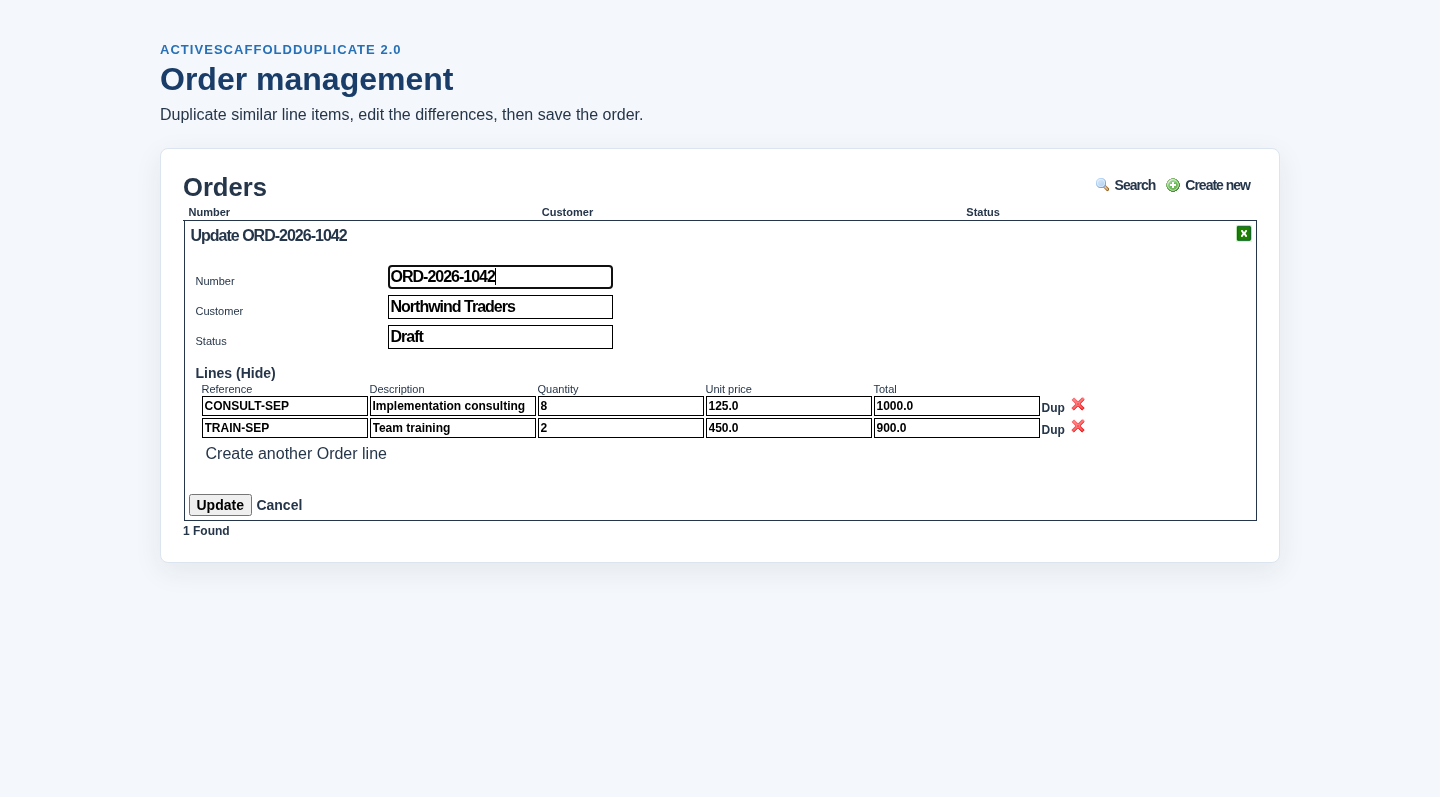
You do not need to add the :duplicate action to the controller for this feature. config.actions << :duplicate enables duplication of a complete record from the scaffold; duplicating a subform row is configured independently on the association column.
What happens when a row is duplicated
When you click Dup, the plugin submits the current field values from that row to the parent controller’s edit_associated action. ActiveScaffold builds another associated record, fills it from those values, and inserts the rendered row into the subform.
The new row is part of the form only. It is persisted when the parent form is submitted successfully, just like a row created with Add New.
Because the values come from the form, unsaved edits made to the original row are included in the duplicate.
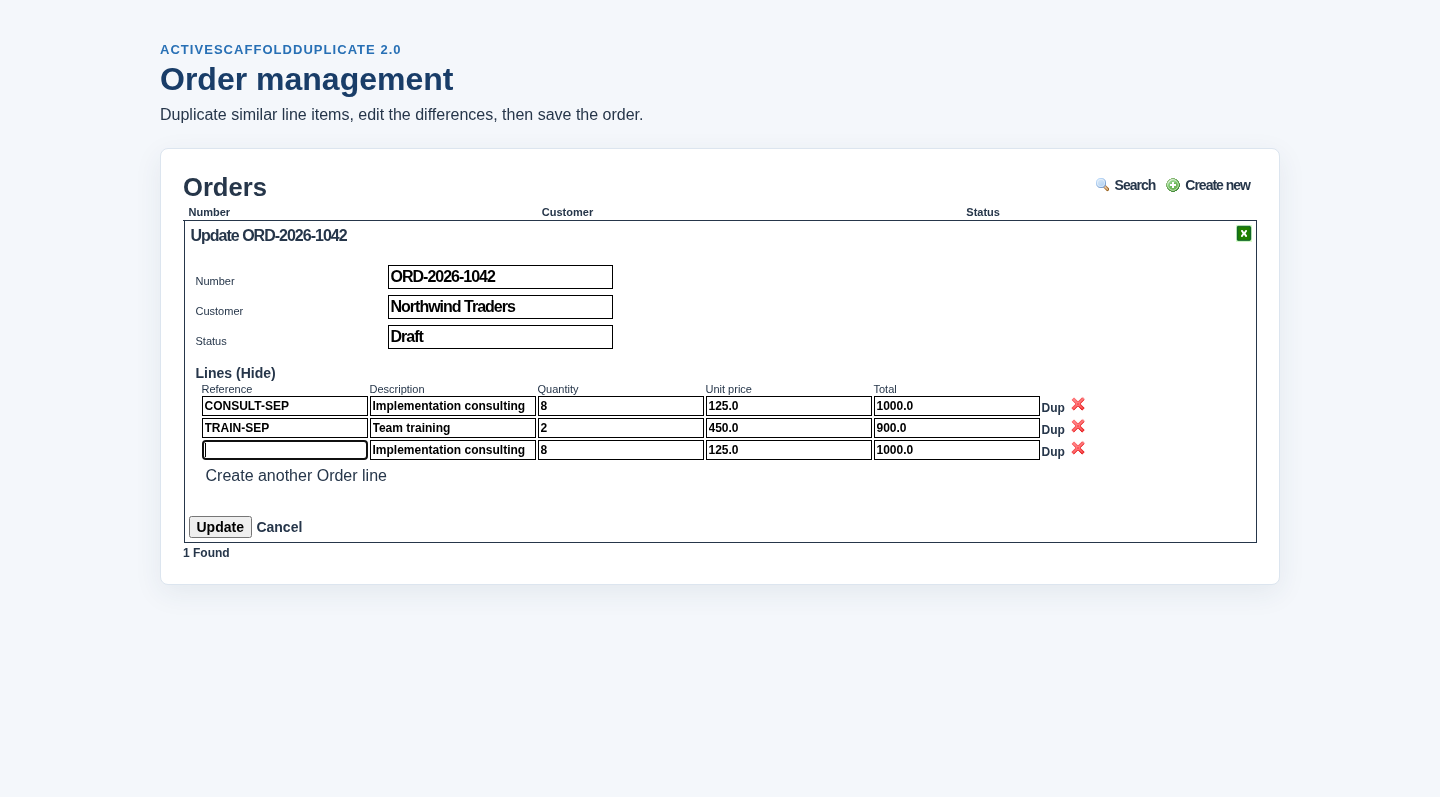
Here, the new third row copies the description, quantity, unit price, and total from the first row. Its reference is blank because the controller customizes that value, as shown below.
Change values on the duplicated row
Sometimes a field should not be copied, or another value must be recalculated. Override duplicate_subform_row in the parent controller, call super first to copy the submitted attributes, and then adjust the new record:
class OrdersController < ApplicationController
  active_scaffold :order do |config|
    config.columns[:lines].form_ui = nil, { duplicate: true }
  end

  protected

  def duplicate_subform_row(record, ...)
    super
    if @column == :lines
      record.reference = nil
      record.calculate_total
    end
  end
end
record is the new associated record. @column identifies the association subform that requested it, which is useful when the controller contains more than one duplicable subform.
Clearing unique identifiers, resetting state fields, and recalculating derived amounts are common uses for this hook.
See the ActiveScaffoldDuplicate plugin page for whole-record duplication and the rest of the plugin’s configuration.